Entities and their attributes of concern are discussed here.
Before we deep dive into the API endpoints, we need to be clear of some entities associated with this feature.
Please note that the API endpoints discussed in the following pages return extra attributes associated with these entities. Those extra attributes can be ignored, and for the lifestyle analyzer feature, you're only supposed to be concerned with the attributes discussed in this page against each entity.
Lifestyle Assessment
As discussed earlier, for each disorder, there is a unique lifestyle assessment. A lifestyle assessment is the core entity of this feature that comprises of the following attributes:
| Attribute | Description |
|---|---|
| id | ID of the assessment |
| questionnaire_id | ID of linked questionnaire that users would be attempting |
| areas | Areas of the body that the assessment is concerned with |
| disease_name | The disease or trait whose risk the assessment determines |
| capitalize_disease_name | There are some diseases whose initial letter of the name is supposed to be capitalized, like H. pylori. The value of this field will be true for such assessments, and will be false for the rest. |
| duration | Estimated time in minutes to complete an assessment. |
| active | This will always be true as we return only active assessments via the API. |
| show_to_sex | It has three possible values, "all", "male", and "female". |
| related_report_ids | IDs of related DNA wellness reports. To fetch further details of the related reports, refer to Reports Service API |
| about_text | Rich text field containing detailed explanation of the disease / condition under consideration |
| disclaimer | Text field like "This assessment is not diagnostic of bipolar disorder" |
Questionnaire
There is strictly one-to-one mapping between a questionnaire and a lifestyle assessment. A questionnaire comprises of:
| Attribute | Description |
|---|---|
| id | Unique ID of the questionnaire |
| list of questions | There is a many to many relationship between questions and questionnaires, meaning questions are shared across multiple questionnaires. For more details regarding the question entity, refer to the sub-section below |
Question
A question comprises of:
| Attribute | Description |
|---|---|
| id | Unique ID of the question |
| question_type | There are multiple types of questions, but as far as lifestyle assessments are concerned, we'll mainly be dealing with three types: - "standard": most questions have standard type. Standard questions are like multiple choice questions, allowing users to pick one or more options as their answer. - "weight" and "height": these are special question types, specifically for just one question each in our database. They expect a free response answer, i.e. text input from a user. More details about these question types and how to answer them are discussed later. |
| question_text | A rich text field containing the main question text. |
| answer_type | There are multiple answer types, but for lifestyle assessments, we'll mainly be concerned with three: - "single choice": out of the given options, user is allowed to pick only one option. Selecting multiple options would result in a validation error. - "multiple choices": the question accepts multiple options as an answer - "free response": the question accepts text input. Weight and height question types have this answer type. Rest of the questions for lifestyle assessments either have single choice or multiple choices answer type. |
| answer_options | Refer to the sub-section below for details |
Answer options
There is a one to many relationship between a question and its answer options (choices). Each answer option comprises of
| Attribute | Description |
|---|---|
| id | ID of the option |
| option_text | Text of the option |
| order | Order in which the options are supposed to be displayed within a question |
Profile Questionnaire
It is a relationship entity between a profile and a questionnaire. There is a profile questionnaire entity created for each questionnaire that a user has attempted. If a user has attempted 50 questionnaires, there will be 50 profile questionnaires against their profile.
It comprises of the following attributes:
| Attribute | Description |
|---|---|
| id | Unique ID of the profile questionnaire |
| questionnaire_id | ID of the linked questionnaire |
| profile_id | ID of the linked profile that attempted this questionnaire |
| progress | A float value between 0.0 (no question of the questionnaire has been answered) and 1.0 (questionnaire is completed). |
| answers | For details, refer to the subsection below |
Profile Questionnaire Answer
Each answer is associated with a single question, and with a profile of the user that answered the question, and is stored in the context of a particular profile questionnaire. Attributes are as follows:
| Attribute | Description |
|---|---|
| id | ID of the answer |
| question_id | ID of the question that the answer is associated with |
| profile_id | ID of the profile of the user that attempted the question |
| profile_questionnaire_id | ID of the profile questionnaire that in context of which this answer is stored. |
| options | Array of option IDs that were chosen as an answer to the question. The array would contain only one option if the answer type of the linked question is "single choice". If the answer type is "multiple choices", it can contain more than one option. It will always contain at least one option. |
| response_text | This field is non-empty only for answers of weight and height question types, that have free response answer type. |
| impact | This field indicates the impact that this answer is having on the overall risk of the disorder that is associated with the profile questionnaire. Remember, an answer is linked with a profile questionnaire, which is linked with a questionnaire, which is further linked with a lifestyle assessment, and each lifestyle assessment maps strictly to one disorder. This field has three possible values: - decreasing - increasing - no impact |
Why are answers stored in context of profile questionnaires (optional read)
As discussed above, a single question can belong to multiple questionnaires. The user's answer to that questionnaire may have a different impact on each questionnaire. Let's say a question is shared between two questionnaires, Questionnaire A and Questionnaire B. The user's answer to that question may be decreasing the risk of the disorder associated with Questionnaire A, while increasing the risk of the disorder associated with Questionnaire B. It would be a single answer, but stored in a denormalised manner, against both Profile Questionnaire A, with decreasing impact, and Profile Questionnaire B, with increasing impact.
Profile Risk
Once an assessment is completed by a user, i.e. when a user answers all required questions in an assessment, their risk relative to the population, of the disorder that the assessment is associated with, is computed based on those answers. A relationship entity, containing score details, between the profile and the lifestyle assessment is stored. Attributes are given below:
| Attribute | Description |
|---|---|
| id | ID of the profile risk |
| profile_id | ID of the profile that attempted the assessment |
| risk_id | ID of the lifestyle assessment that was attempted |
| range_label | Label of the range in which the user's risk score lies in |
| range_color | Color of the range in which the user's risk score lies in |
| range_text | Text explaining the range in which the user's risk score lies in |
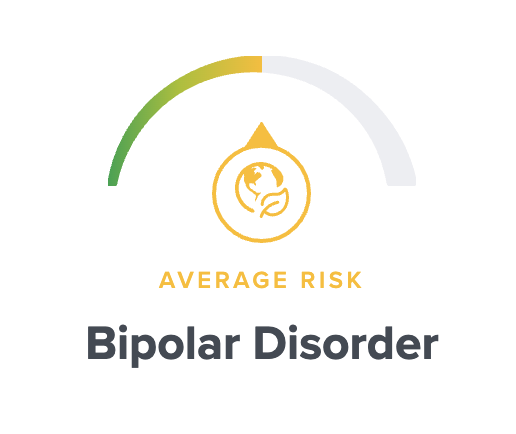
| gauge_percent | A float percentage value that can be used if you want to represent the risk in a gauge. The value determines what percentage of the gauge that should be filled to portray the risk. |
The fields with prefix "range" indicate information about the user's risk score. For simplicity, the risk score is categorised into one of the five categories, aka ranges, given in the below table. Value combinations for range_label, range_color range_text and gauge_percent for each category are listed.
| range_label | range_text | range_color | gauge_percent |
|---|---|---|---|
| Reduced risk | You have a reduced risk | Green | 10 |
| Slightly reduced risk | You have a slightly reduced risk | Light Green | 30 |
| Average risk | You have an average risk | Yellow | 50 |
| Slightly increased risk | You have a slightly increased risk | Orange | 70 |
| Increased risk | You have an increased risk | Red | 90 |
For visualisation, a gauge_percent value of 50.0 would result in a gauge like this: