Supported configurations in the pdf_config field of PDF generation request payload
PDF configurations allow customizing the PDF to your needs.
This page discusses base and high-level PDF configs that are relevant for all PDFs regardless of their type. If you are interested in more than a base-level config for a particular PDF type, refer to the corresponding docs given below for each PDF type, which gives you in-depth picture for the particular case you are looking for. There are currently two types of PDFs supported:
- report (config docs)
- lab (config docs)
Each has its own supported PDF configurations that you can use to alter the resulting PDF.
You are supposed to populate these configurations in the pdf_config field when passing the JSON payload to report_job endpoint or pdf_job endpoint. Some of the configs are generic and common across PDF types which are discussed below.
Common PDF Configs
Sample Payload
Example of a valid pdf_config payload that can be used for any PDF type:
"pdf_config": {
  "white_labelled": true,
  "company_profile": {
    "company_name": "DemoCorp Ltd.",
    "logo": "https://dummyimage.com/200x200/000/fff&text=Company+Logo",
    "professional_name": "John Doe Consulting",
    "website": "https://www.democorp.com",
    "email": "[email protected]",
    "phone": "+1-555-0123-456",
    "address": "1234 Demo Street, Demo City, 56789"
  },
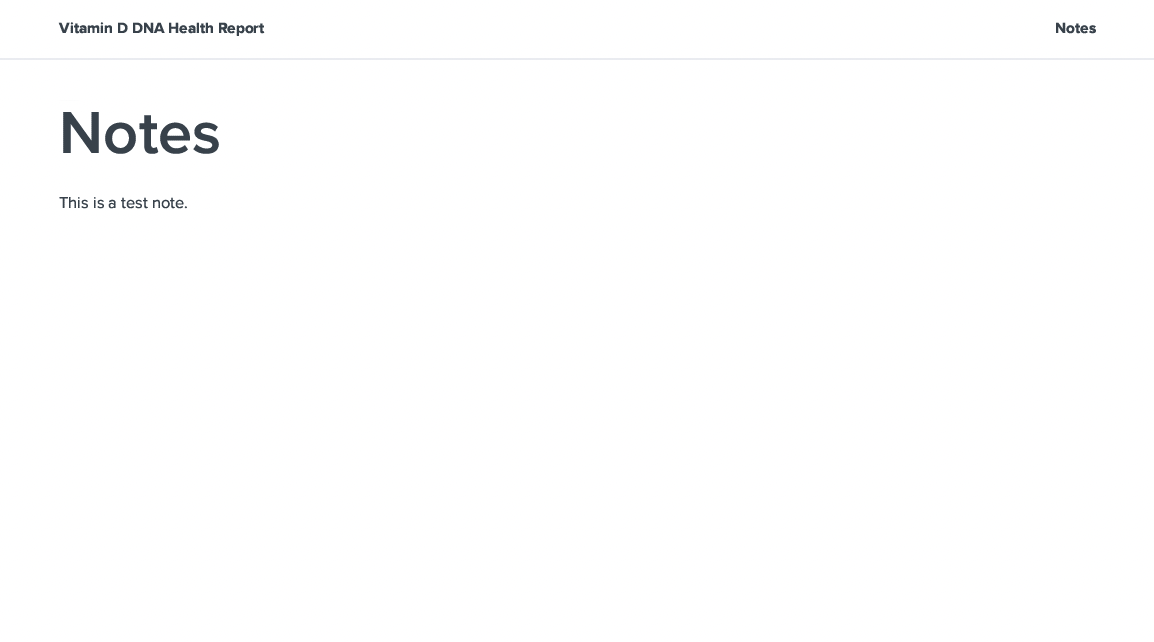
  "notes": "This is a test note.",
  "custom_page_title": "Notes for You",
  "client_name": "John Doe",
  "lang": "es",
  "icon_style": "emoji",
  "number_of_recommendations": 15
}
Payload Explanation
Supported keys and values for pdf_config JSON field common across PDFs and their explanation is given below.
Note: None of these keys are required. In case not provided, defaults would be used.
| Key | Value Type | Default | Supported Values | Explanation |
|---|---|---|---|---|
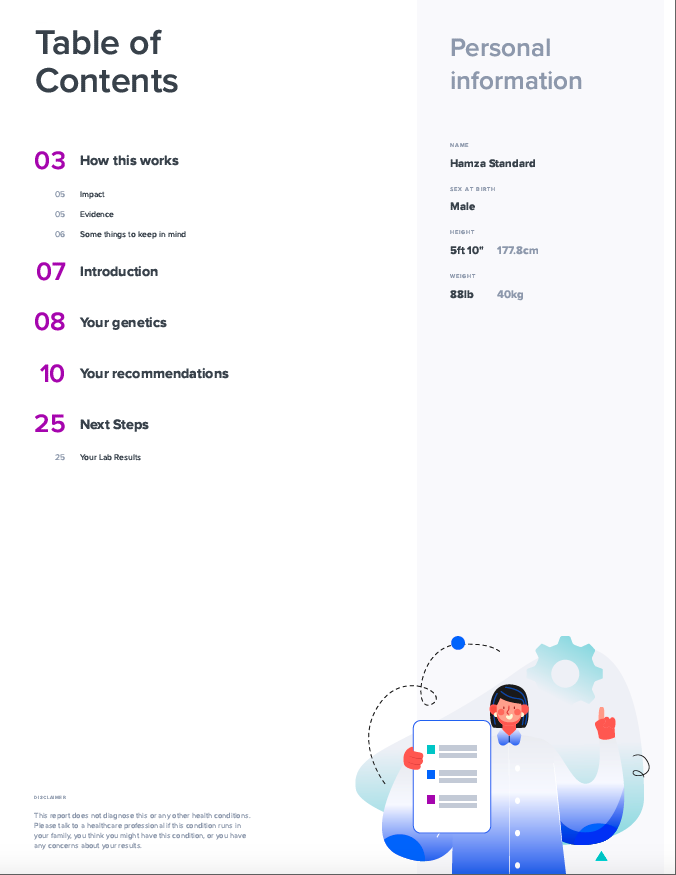
| white_labelled | boolean | false | true, false | Whether you want to white-label your PDF or not. If set to true, it would remove SelfDecode branding, and you'll have to provide your own branding info in the company_profile field (see next field) |
| company_profile | JSON | null | Refer to white-labelling section | Note: Required only if white_labelled is set to true. |
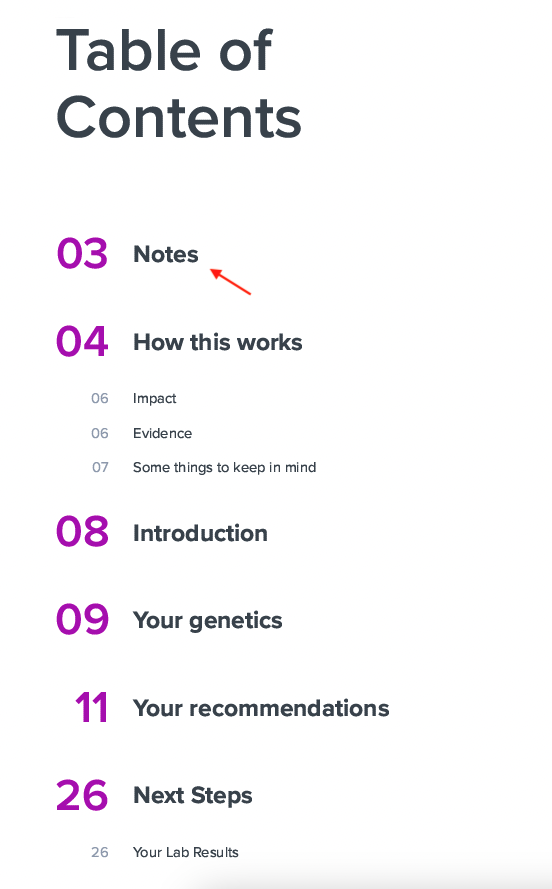
| notes | string | "" | Any simple text | Any simple text notes you want to be displayed at the start of the PDF under the Notes section . If not provided, the notes section is omitted. To customize the title of the notes page, refer to next field. |
| custom_page_title | string | "Notes" | Any simple text | Custom title for the page displaying the notes. |
| client_name | string | profile name | Any simple text | Name of the intended recipient to be displayed on the PDF cover page. If not provided, profile name would be used as default. |
| lang | string | "en" | en, he, es, fr, de, it, ar, pt, bg | Supported languages are:ENGLISH = "en" HEBREW = "he" SPANISH = "es" FRENCH = "fr" GERMAN = "de" ITALIAN = "it" ARABIC = "ar" PORTUGUESE = "pt" BULGARIAN = "bg" |
| icon_style | string | "standard" | standard, hand, emoji | You can customize the icon set displayed to represent your varying levels of risk. For more details, refer to Icon Styles. |
| number_of_recommendations | integer | count of total recommendations | Any positive integer | You can limit the number of top recommendations to be displayed on the PDF by passing any positive integer value. If not provided, all relevant recommendations would be displayed. |
White-labelling
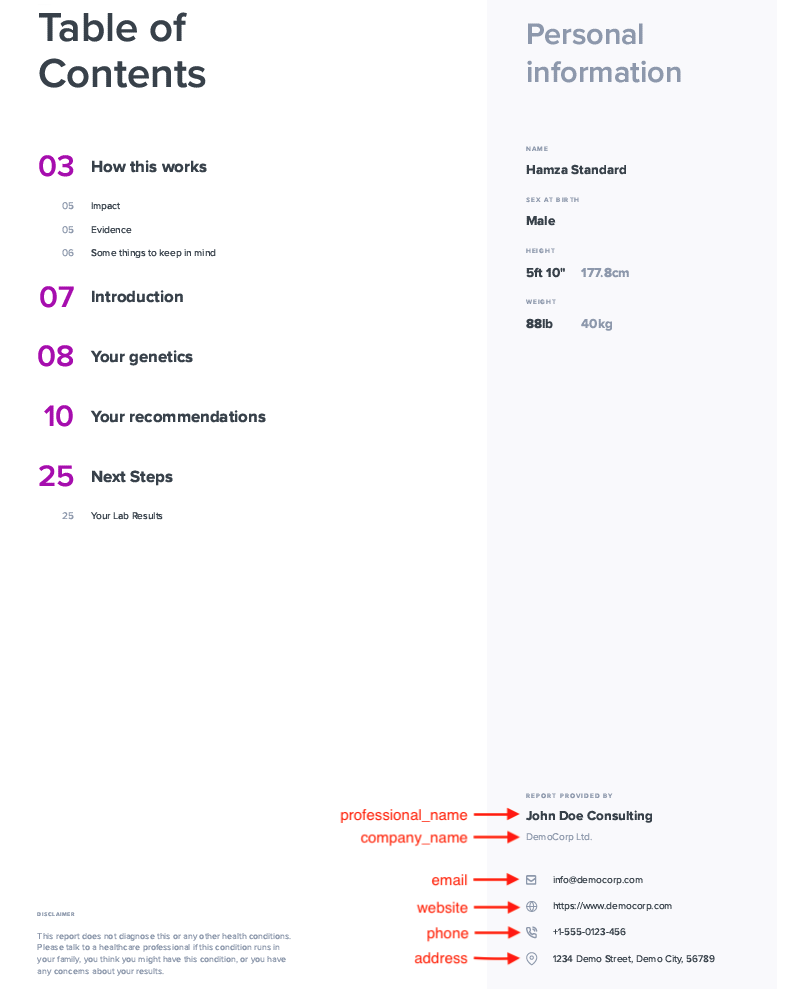
Company profile has to be provided in the PDF config if you choose to white-label your PDF. It is a JSON value, that supports the keys given below.
Note: None of these fields are required. In case not provided, they won't be displayed on the PDF.
| Key | Value Type | Explanation |
|---|---|---|
| logo | string | URL of your company logo to be displayed on the cover page |
| professional_name | string | Name of your company to be displayed on the PDF as primary name |
| company_name | string | Name of your company to be displayed on the PDF as secondary name |
| website | string | URL of your website |
| string | ||
| phone | string | |
| address | string |
PDF with SelfDecode branding

PDF with your company's custom branding

Notes
Icon Styles
standard

hand

emoji