PGx Reports
Pharmacogenomic report provides detailed information on how your client's genetic makeup can affect their response to specific medications. Learn More
Note
The Pharmacogenomics Report is exclusively available for genome files processed using the SelfDecode DNA kit. Third-party genome files are not supported for this feature at this time. For accessing Pharmacogenomics Report, please ensure the use of a SelfDecode DNA kit.
PGx Jobs
Each PGx job is an entity that represent the pipeline, from start to finish, to generate the PGx report for a particular profile. You can track the PGx job for any updates or errors as it moves across the pipeline.
PGx jobs are genome-file based jobs, meaning that they require a genome file to be processed. For more details regarding the PGx jobs, their creation, and how to fetch them, please refer to the Genome File Based Jobs
Standard vs DNAmind PGx Reports
Two PGx report variants are available, selected via the optional pgx_report field inside a PGx job's pdf_config:
pgx_report value | Report |
|---|---|
standard (default) | The general Pharmacogenomics report. Used when pgx_report is omitted. |
genomind | The DNAmind psychiatric Pharmacogenomics report. |
Example pdf_config to generate a DNAmind report:
{
  "profile_id": "<profile-uuid>",
  "desired_status": "pdf_generated",
  "pdf_config": { "pgx_report": "genomind" }
}
Both variants use the same PGx job endpoint and the same PGx opt-in; only the pgx_report value differs.
Creating a PGx Job for First Time
If you don't have the genome file processed for your profile and are creating a PGx job for the first time, please refer to Creating a Job for the First Time - Uploading + Processing Genome File.
Examples to Create a PGx Job
Please refer to Examples section in Genome File Based Jobs.
Fetching PGx Jobs
Please refer to Fetching Jobs section of Genome File Based Jobs.
PGx PDFs
Please refer to PDFs section in Genome File Based Jobs.
Composed PGx
The PGx job endpoint is used to generate the PDF report for your pharmacogenomics data. However, if you want the pharmacogenomics results themselves in JSON format, you can use the composed pgx endpoint which returns all the required details for composing your PGx report.
PGx Page Illustration
To get an idea of how the fields returned from the /composed-pgx/ endpoint can be used to present a report of pharmacogenomics results, please refer to the illustration below, which pinpoints how certain fields correspond to certain UI elements and text.
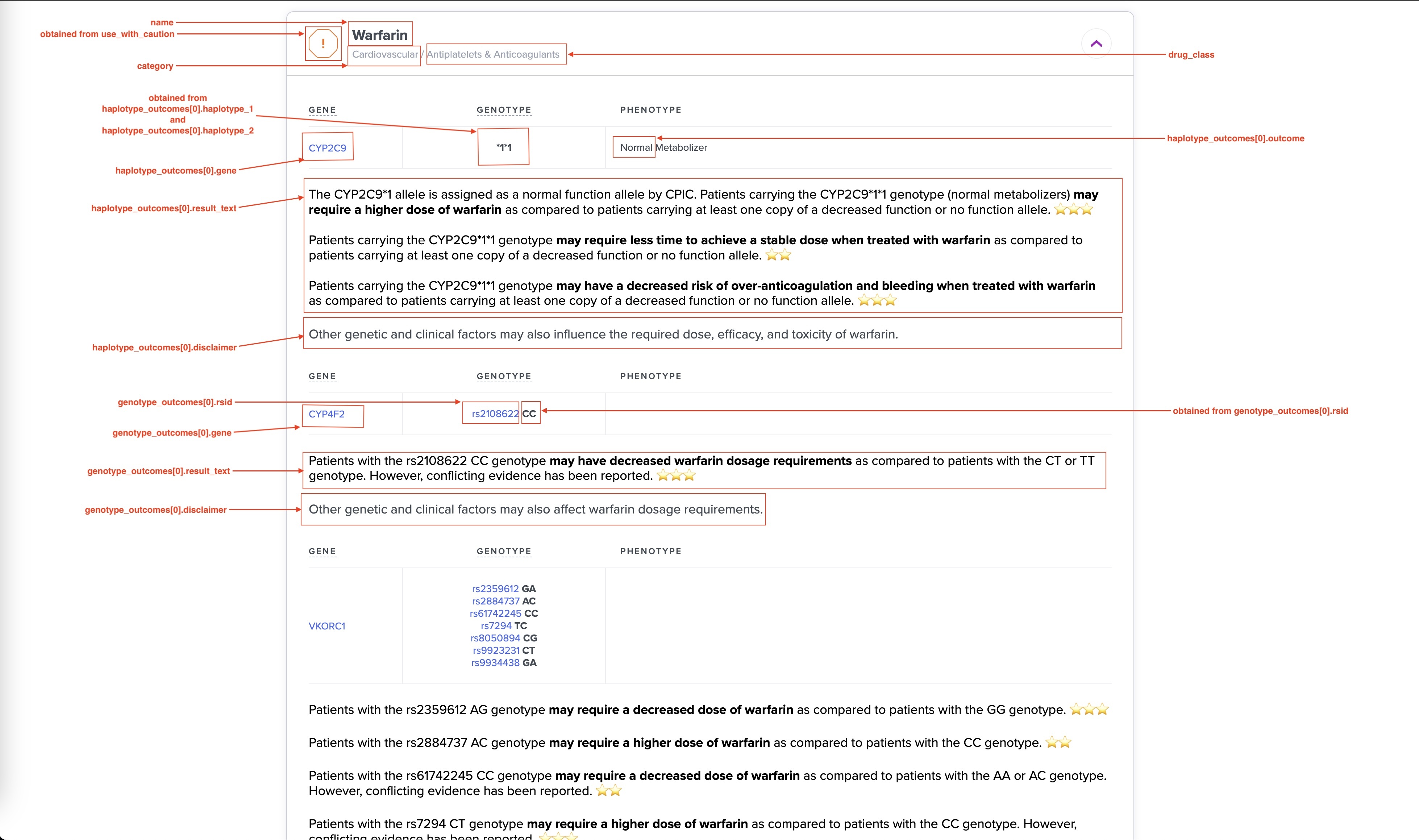
Also, when composing the PGx result, please keep these things in mind:
-
use_with_cautionfield for each outcome is not used in interface, to show the risk, use theuse_with_cautionfield for the drug object. -
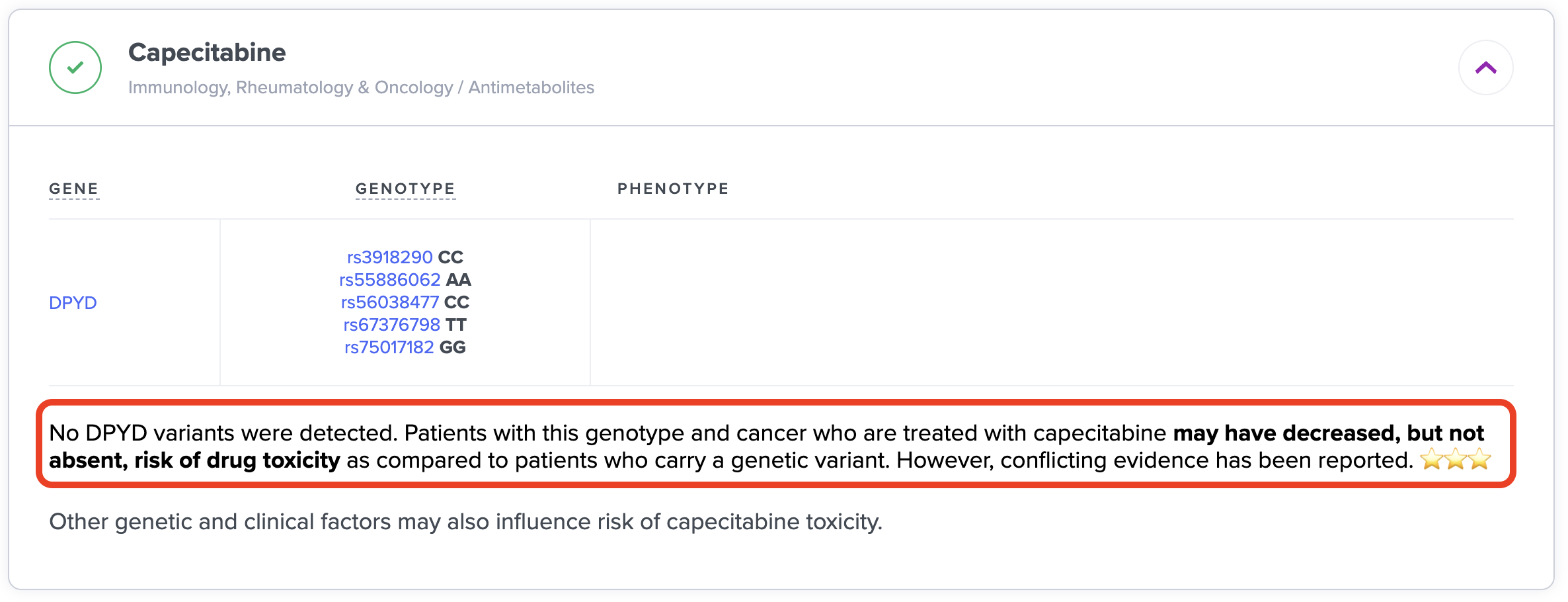
disclaimerfield is exactly same for all rsid or haplotype outcomes within one gene for that drug: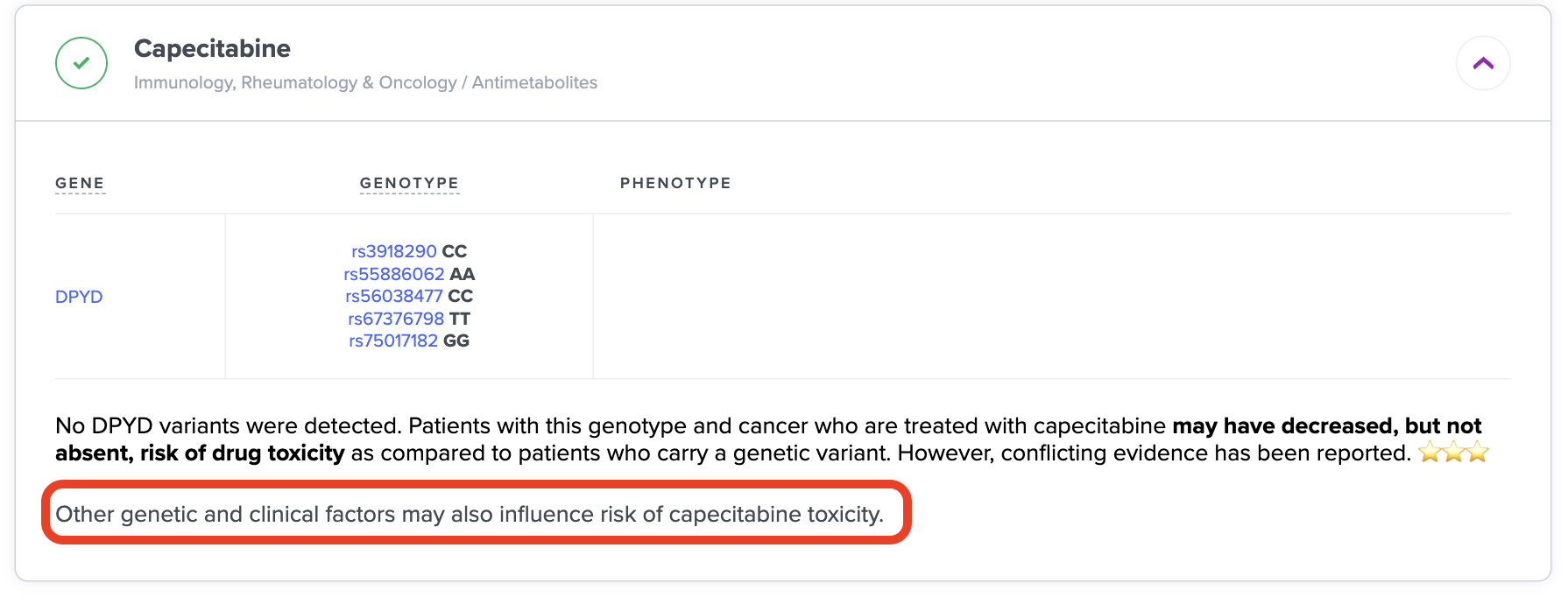
-
The
result_textis placed in the same order, as outcomes. And outcomes are ordered alphabetically: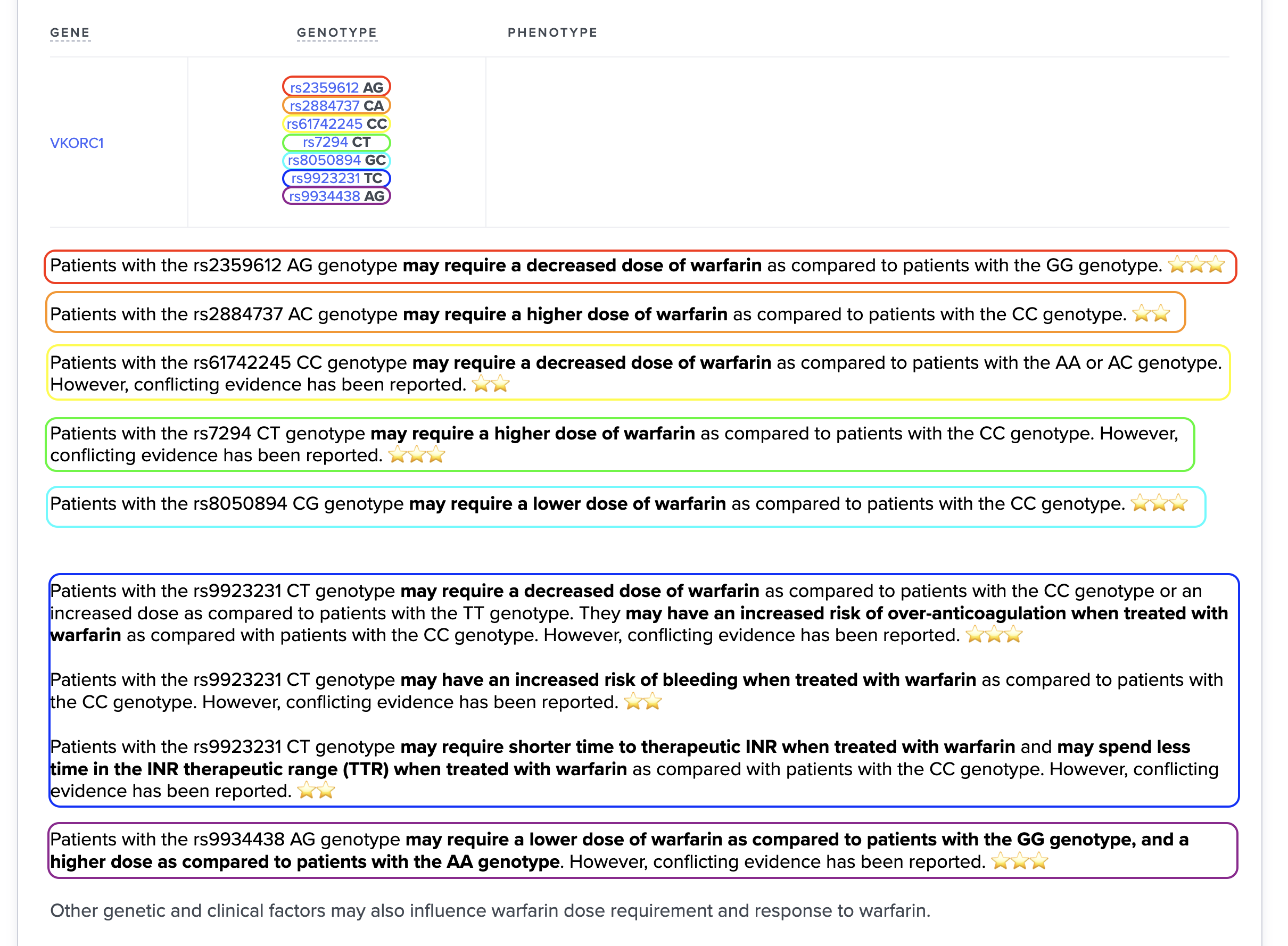
-
In RSID outcomes there’s a field
simplify_result_text. Ifsimplify_result_text=true, thenresult_textis exactly same for all RSIDs within 1 gene for that drug: