
To get personalized, accurate and complete results for the "Diet & Nutrition" and "Fitness" report PDFs for a profile, it is recommended that the profile completes the "Diet & Exercise" intake form (questionnaire) before generating the PDFs.
Attempting the Diet Intake Form
You can retrieve the diet questionnaire using the endpoint /intake-form/diet/.
For more details on retrieving, attempting, and listing answers for the intake form, please refer to this generic intake form guide.
Sections of the Diet & Nutrition Report Affected by the Questionnaire
Summary
Under the summary section of the PDF, we display the BMI widget, Calorie Intake widget and Macronutrients Distribution widgets, as shown below.
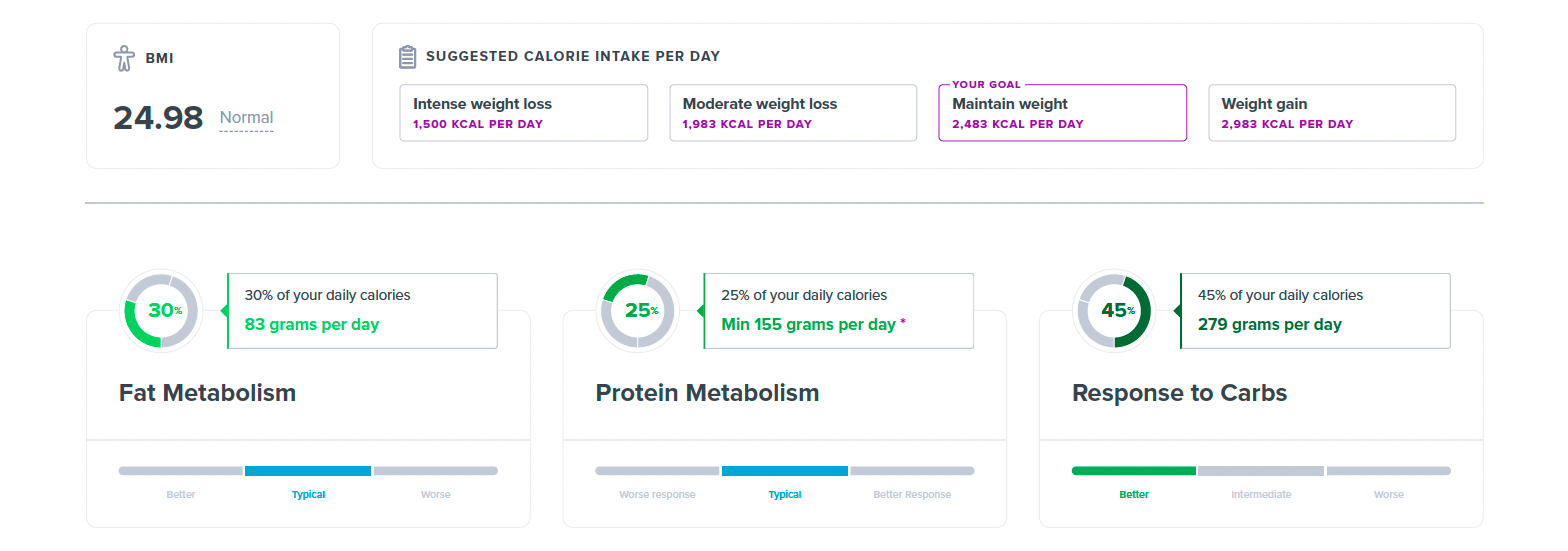
The BMI value, suggested calorie intake per day, and the number of suggested grams per day for each macronutrient are all computed based on your responses to the diet questionnaire. In case you haven't responded to the questions for the profile generating the report, we only display the percentage breakdown for each macronutrient as shown below
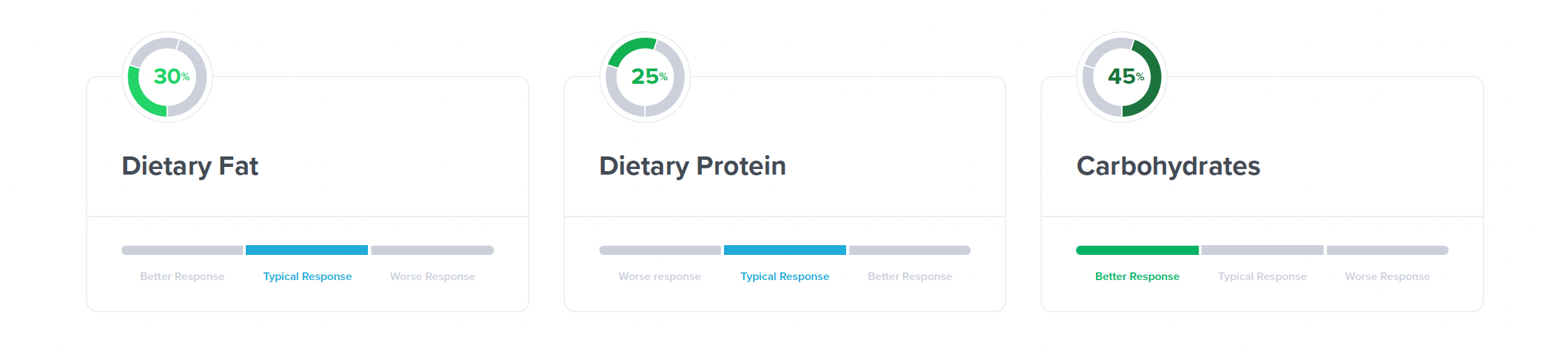
which is why it is recommended to attempt the questionnaire and provide accurate information before generating this report.
If you have the height and weight populated at the time of profile creation, or later updated the profile to include those values, and haven't attempted the questionnaire, your height and weight values would be used from your profile.
Displaying in the UI
If you want to display the suggested kcal per day and the suggested number of grams for each macronutrient using the API endpoints, in the same manner as given in the illustration above, use the optimal_diet.diet_distribution field from the /composed-diet/ endpoint, details for which are in the Optimal Diet documentation.
Sections of the Fitness Report Affected by the Questionnaire
Summary
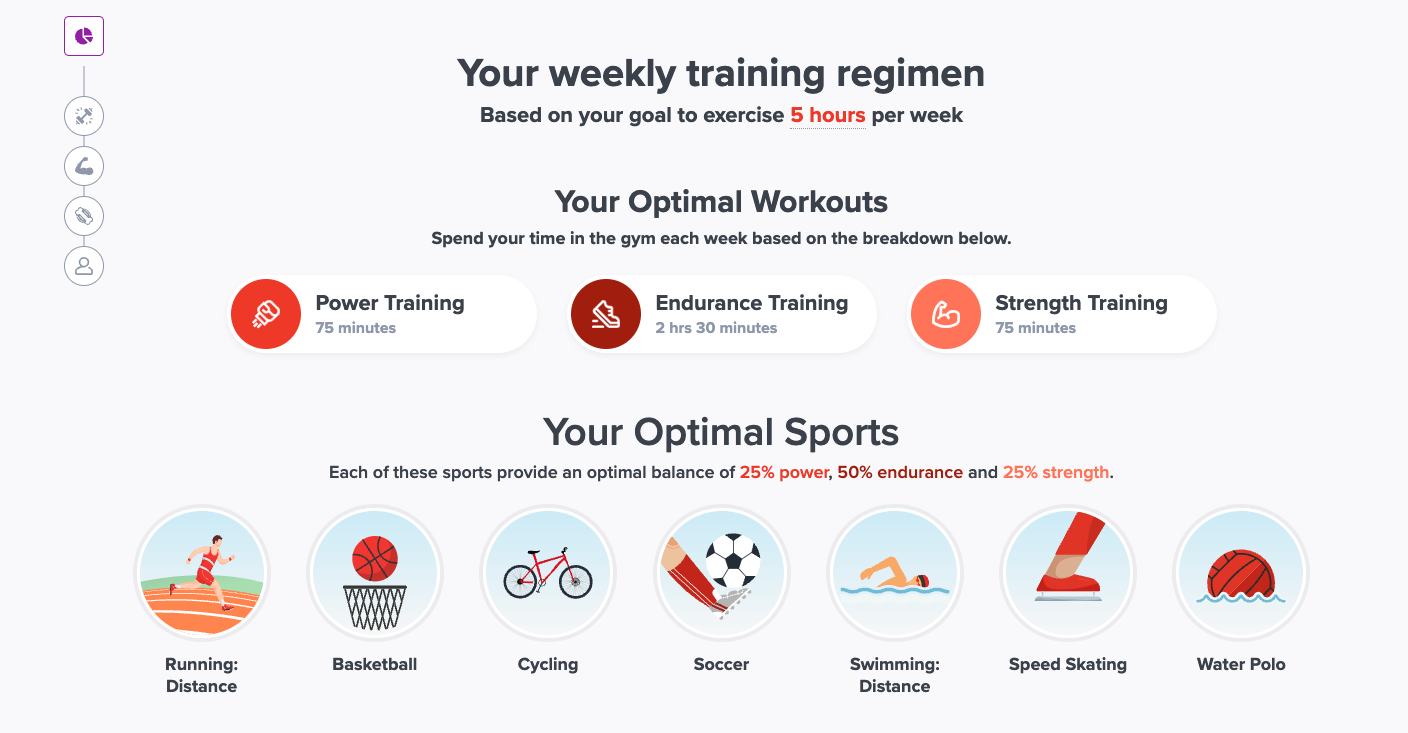
Under the summary section of the PDF, we display the Weekly Training Regimen as shown below.
If you don't attempt the questionnaire and don't answer the question:
"How many hours a week would you like to spend exercising?",
the above regimen is omitted altogether in the PDF.
For the example above, the profile had input 5 (hours) as the answer to the question, hence the training plan was based on that input.
Displaying in the UI
You can also display the Weekly Training Regimen section in your application using data from our API endpoints.
First, you'd retrieve the targeted hours of exercise question's answer for the profile of interest. Details to list answers for a profile intake form are in the guide linked at the top of this page.
Next, after having generated the "Fitness" combined report and composing it using the /composed-profile-report/ endpoint as discussed in the rest of the guide, comes partitioning the total number of exercise hours retrieved from the intake form answer into the three workout types shown in the "Your Optimal Workouts" sub-section. We already have instructions here how to generate the pie chart for combined reports, i.e. filtering profile_trait.trait.gauge_labels (27 in total) with the profile_trait.outcome_id in the response of /composed-profile-report/. After filtering, 3 gauge labels, each representing one workout type, would be left like given in the example below:
{
      "id": "baf7dd6f-43d6-4b47-97d7-8c8af78e2d26",
      "label_text": "Endurance",
      "label_sub_text": "",
      "label_color": "pie dark orange",
      "ratio": 50,
      "display_order": 2,
      "sub_case": {
          "id": "b0e92c35-6704-4f39-92f7-4c37467474a7",
          "case_id": "d9e05431-f229-4033-bc7b-713309525cbd",
          "trait_id": "80015995-81be-4a6a-92fb-b5a2fa725466"
      },
      "score_from": null,
      "score_to": null,
      "scenario_id": null,
      "outcome_id": "d9e05431-f229-4033-bc7b-713309525cbd",
      "sub_outcome_id": "b0e92c35-6704-4f39-92f7-4c37467474a7"
  },
  {
      "id": "9af842b6-ad90-43ad-818d-a26bc5b11c20",
      "label_text": "Strength",
      "label_sub_text": "",
      "label_color": "pie light orange",
      "ratio": 25,
      "display_order": 3,
      "sub_case": {
          "id": "3e5816f4-cfde-435f-919a-899f610936ad",
          "case_id": "d9e05431-f229-4033-bc7b-713309525cbd",
          "trait_id": "393e93be-daa0-4c44-821c-b74e7589d44c"
      },
      "score_from": null,
      "score_to": null,
      "scenario_id": null,
      "outcome_id": "d9e05431-f229-4033-bc7b-713309525cbd",
      "sub_outcome_id": "3e5816f4-cfde-435f-919a-899f610936ad"
  },
  {
      "id": "57f5f082-d380-492d-a04b-8a10b678935c",
      "label_text": "Power",
      "label_sub_text": "",
      "label_color": "pie orange",
      "ratio": 25,
      "display_order": 1,
      "sub_case": {
          "id": "b9fd4cbf-9b62-485b-b982-56ddfff0b1fa",
          "case_id": "d9e05431-f229-4033-bc7b-713309525cbd",
          "trait_id": "07a998de-56ab-4cac-9e93-39a07f30052e"
      },
      "score_from": null,
      "score_to": null,
      "scenario_id": null,
      "outcome_id": "d9e05431-f229-4033-bc7b-713309525cbd",
      "sub_outcome_id": "b9fd4cbf-9b62-485b-b982-56ddfff0b1fa"
  },
Fields of interest to generate the “Your Optimal Workouts” sub-section of the regimen are:
label_textlabel_colorratiodisplay_order
To get the time for each workout type, do:
(total number of hours retrieved earlier * ratio) / 100
For the “Your Optimal Sports” sub-section of the regimen, use additional_info.results as mentioned here. An example matching the screenshot above is:
        "additional_info": {
            "results": [
                "running: distance",
                "basketball",
                "cycling",
                "soccer",
                "swimming: distance",
                "speed skating",
                "water polo"
            ]
        },
The illustrations are static images in frontend, not retrieved from the API.